Is iPad 12.9 Too Big? Size, Features & User Experience
So, you’re eyeing the iPad Pro 12.9-inch, huh? It’s a gorgeous piece of tech, a digital canvas that promises a world of productivity and entertainment. But before you take the plunge, there’s a question that looms large: is the iPad 12.9 too big? It’s a valid concern! After all, this isn’t your average tablet. It’s a statement piece, a commitment to a certain way of working and playing.
This article is your comprehensive guide to answering that question. We’ll explore the dimensions, the weight, the intended use cases, and the potential drawbacks. We’ll delve into the user experience, comparing it to smaller iPads and even laptops. By the end, you’ll have a clear understanding of whether the iPad 12.9-inch is the right fit for your lifestyle. Let’s get started!
The Dimensions: Size Does Matter
Let’s get the raw numbers out of the way. The iPad Pro 12.9-inch is, well, 12.9 inches diagonally. That translates to a device that’s roughly the size of a standard letter-sized sheet of paper. Here’s a more detailed breakdown of the dimensions:
- Height: Approximately 11.04 inches (280.6 mm)
- Width: Approximately 8.46 inches (214.9 mm)
- Depth: Approximately 0.25 inches (6.4 mm)
These dimensions are pretty consistent across different generations of the iPad Pro 12.9-inch. The slight variations are usually due to the inclusion of features like the camera bump or minor design tweaks.
Now, compare that to the iPad Air (10.9-inch) or the standard iPad (10.2-inch). You’ll notice a significant difference. The 12.9-inch model is noticeably larger, offering a much more expansive display. This larger screen real estate is a double-edged sword: great for productivity and media consumption, but potentially cumbersome for portability and everyday use.
Weighty Considerations: Feel the Difference
Size isn’t the only factor to consider; weight plays a crucial role in the overall user experience. The iPad Pro 12.9-inch is heavier than its smaller siblings. Here’s a comparison:
- iPad Pro 12.9-inch (Wi-Fi): Approximately 1.5 pounds (682 grams)
- iPad Pro 12.9-inch (Wi-Fi + Cellular): Approximately 1.51 pounds (685 grams)
- iPad Air (Wi-Fi): Approximately 1 pound (461 grams)
- iPad Air (Wi-Fi + Cellular): Approximately 1.02 pounds (462 grams)
While the weight difference might seem small on paper, it’s noticeable in hand. Holding the 12.9-inch iPad Pro for extended periods can lead to fatigue, especially if you’re using it in a handheld mode, such as reading or browsing the web. The weight adds to the feeling of bulk, making it less comfortable to use in certain situations.
Contrast that with the iPad Air, which is significantly lighter. This makes it easier to hold for longer periods and more convenient for on-the-go use. The weight difference is a key factor in the portability equation.
Use Cases: Where Does the iPad 12.9-Inch Shine?
The iPad Pro 12.9-inch is designed for specific use cases where its larger screen provides significant advantages. Let’s explore some of these:
Creative Professionals
For graphic designers, illustrators, and artists, the 12.9-inch iPad Pro is a dream. The expansive screen provides ample space for sketching, painting, and detailed work. The Apple Pencil, paired with the large display, offers a near-perfect digital drawing experience. The size allows for more natural hand movements and a more immersive creative process. I can use the Apple Pencil to create detailed illustrations, and the screen feels like a true canvas. (See Also: Where Is Sleep Wake Button On Ipad 2 )
Content Consumption
Watching movies, TV shows, and reading e-books is a joy on the 12.9-inch iPad Pro. The large, vibrant display offers an immersive viewing experience, rivaling some smaller laptops. The size makes it easy to share the screen with others, and the high-resolution display ensures sharp and detailed visuals. The screen is large enough to comfortably read lengthy documents or articles without constant scrolling.
Productivity Tasks
For users who need to work on documents, spreadsheets, and presentations, the iPad Pro 12.9-inch offers a desktop-like experience. The large screen allows for multitasking, with the ability to have multiple apps open side-by-side. Pairing it with a keyboard and trackpad transforms it into a powerful workstation. The extra screen real estate is a huge advantage for productivity, allowing you to see more content at once.
Gaming
Gaming on the 12.9-inch iPad Pro is an immersive experience. The large screen enhances the visuals, and the powerful processor ensures smooth gameplay. The size makes it easier to see details and control your character. Some games will feel more engaging, due to the large display. It’s a great way to enjoy mobile games.
The Flip Side: Potential Drawbacks
While the iPad Pro 12.9-inch has many advantages, it’s not perfect for everyone. Here are some potential drawbacks to consider:
Portability Challenges
The size and weight make it less portable than smaller iPads or laptops. It’s bulkier to carry around, and it may not fit comfortably in all bags or backpacks. It’s not as easy to use on the go, especially in crowded spaces. If portability is a high priority, you might want to consider a smaller iPad model.
Handheld Comfort
Holding the 12.9-inch iPad Pro for extended periods can be tiring. The weight can cause fatigue, especially if you’re using it in a handheld mode, such as reading or browsing the web. This can be a significant issue for users who prefer to use their iPad in a more casual, relaxed manner.
Price Point
The iPad Pro 12.9-inch is the most expensive iPad model. The cost can be a barrier for some users, especially considering the additional cost of accessories like the Apple Pencil and keyboard. If budget is a major concern, you might want to explore more affordable iPad options.
Ergonomics
Using the iPad Pro 12.9-inch in some situations can be awkward. For example, typing on the on-screen keyboard can feel cramped, and it may not be as easy to use in tight spaces, such as on a plane or train. The size can make it less versatile in certain environments.
iPad Pro 12.9-Inch vs. Alternatives: A Quick Comparison
To help you make an informed decision, let’s compare the iPad Pro 12.9-inch to some popular alternatives: (See Also: Ipad Md789ll B What Generation 2 )
iPad Air (10.9-Inch)
The iPad Air offers a balance of size, performance, and portability. It’s lighter and more compact than the iPad Pro 12.9-inch, making it easier to carry around. It also offers a great display and powerful performance. The iPad Air is a good option if you want a balance of screen size, portability, and price.
iPad (10.2-Inch)
The standard iPad is the most affordable iPad model. It’s a great option for basic tasks like browsing the web, watching videos, and reading e-books. It’s more portable than the iPad Pro 12.9-inch. The standard iPad is a great choice if you’re on a budget and prioritize affordability.
Laptops
Laptops offer a full-fledged computer experience with a physical keyboard and trackpad. They are generally more powerful than iPads, and they offer a wider range of software options. Laptops are a better choice if you need to do heavy-duty tasks like video editing or coding. A laptop might be better if you need a more traditional computing experience.
Here’s a table summarizing the key differences:
| Feature | iPad Pro 12.9-inch | iPad Air (10.9-inch) | iPad (10.2-inch) | Laptop |
|---|---|---|---|---|
| Screen Size | 12.9 inches | 10.9 inches | 10.2 inches | Varies |
| Weight | Heavier | Lighter | Lightest | Varies |
| Portability | Less Portable | More Portable | Most Portable | Varies |
| Price | Most Expensive | Mid-Range | Most Affordable | Varies |
| Performance | High | High | Good | Varies |
| Use Cases | Creative, Productivity, Media | General Use, Productivity | Basic Tasks, Media | Productivity, Advanced Tasks |
Accessories: Enhancing the Experience
The iPad Pro 12.9-inch is more than just a tablet; it’s a platform. Accessories can significantly enhance your experience and transform the device into a versatile tool.
Apple Pencil
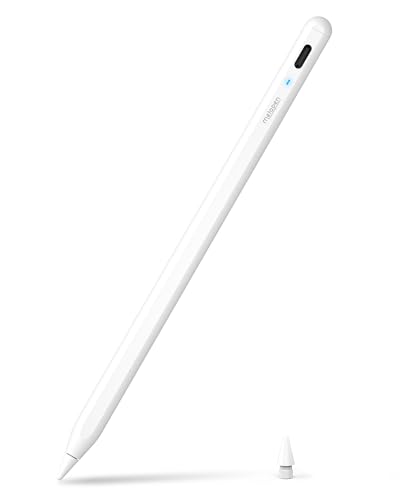
The Apple Pencil is essential for creative professionals and anyone who enjoys drawing, sketching, or taking handwritten notes. It offers precise control and a natural writing feel, making it a joy to use. The Apple Pencil seamlessly integrates with the iPad Pro, providing a responsive and intuitive experience.
Magic Keyboard/smart Keyboard Folio
A keyboard is a must-have if you plan to use your iPad Pro for productivity tasks. The Magic Keyboard offers a laptop-like typing experience with a trackpad, while the Smart Keyboard Folio provides a more streamlined option. These keyboards turn your iPad into a portable workstation.
Protective Cases
A protective case is crucial to safeguard your investment. Cases protect your iPad from scratches, drops, and other damage. There are various case options available, from simple covers to rugged, heavy-duty cases.
USB-C Hubs/adapters
USB-C hubs and adapters expand your connectivity options. They allow you to connect external devices, such as monitors, hard drives, and SD card readers. This is particularly useful for professionals who need to transfer files or connect to external displays. (See Also: Where Is On Off Button On Ipad Pro 2 )
User Experience: Putting It All Together
The user experience is the ultimate test. Does the iPad Pro 12.9-inch feel good to use? Here’s what to consider:
Multitasking
The large screen excels at multitasking. You can easily have multiple apps open side-by-side, making it easy to work on multiple tasks simultaneously. The larger display provides more screen real estate, which enhances the multitasking experience.
Media Consumption
Watching movies and videos is a pleasure on the 12.9-inch iPad Pro. The large, vibrant display provides an immersive viewing experience, and the speakers deliver excellent sound quality. The screen size allows you to fully enjoy the content.
Portability vs. Usability
The size and weight can be a trade-off. While the larger screen is great for some tasks, it can make the device less portable. Consider how you will primarily use the iPad, and weigh the benefits of a larger screen against the potential drawbacks of reduced portability.
Software and Ecosystem
iPadOS offers a user-friendly experience with a wide range of apps optimized for the tablet. The Apple ecosystem provides seamless integration with other Apple devices. The software experience is a key factor in the overall usability of the iPad Pro.
Making the Right Choice: Is the iPad 12.9-Inch Right for You?
To answer the question, “is the iPad 12.9 too big?” consider the following:
- Your primary use cases: If you’re a creative professional, a heavy media consumer, or someone who values productivity, the larger screen is a huge advantage.
- Your portability needs: If you need a highly portable device, the 12.9-inch model might not be the best choice. Consider how often you’ll be carrying the iPad around.
- Your budget: The iPad Pro 12.9-inch is the most expensive iPad model. Make sure the price aligns with your budget.
- Your comfort level: Consider whether you’re comfortable holding and using a larger tablet for extended periods.
If you prioritize screen size, performance, and a desktop-like experience for creative work and productivity, and portability is secondary, then the iPad Pro 12.9-inch is a good choice. If portability is a high priority, or if you primarily use your tablet for basic tasks, then a smaller iPad model might be a better fit.
Final Thoughts
Ultimately, the decision of whether the iPad 12.9-inch is too big is a personal one. There’s no single right answer. It depends on your individual needs, preferences, and how you plan to use the device. I hope this comprehensive guide has given you the information you need to make an informed decision. Take the time to consider your priorities, weigh the pros and cons, and choose the iPad that best suits your lifestyle. Good luck!
Remember to physically try out the iPad in a store if possible. Handling the device will give you a better sense of its size and weight and help you determine if it’s a comfortable fit for you. Consider renting or borrowing one to assess the user experience over a longer period. This will allow you to assess the iPad 12.9-inch’s features and overall experience.
Recommended For You