Can Someone See Me Through My iPhone Camera? The Truth.
Ever feel like you’re being watched? Maybe it’s just paranoia. Maybe. But what if it isn’t? The question of whether someone **can someone see me through my iphone camera** has become a modern-day ghost story. We’re all carrying mini-surveillance devices in our pockets, and the thought of them being turned against us is unsettling, to say the least.
I remember a friend, Sarah, who had a serious scare. She was convinced her ex-boyfriend was remotely accessing her phone. Every time she looked at her phone, she felt a chill. The idea of someone, anyone, watching her through her camera, was a nightmare she was having nightly. It turned out to be a glitch in her phone, but that didn’t matter. The feeling of vulnerability lingered for weeks.
It’s a valid fear. I’m not going to sugarcoat it. The tech is there. The potential is there. And while the odds are low, the consequences of a breach are high. We’re going to dig into the reality of the situation, the technical vulnerabilities, and what you can do to protect yourself.
The Basics: How Your iPhone Camera Actually Works
First things first. Let’s get a handle on what we’re actually talking about. Your iPhone camera is a marvel of engineering, a tiny lens capable of capturing stunning photos and videos. But it’s not magic. It relies on a combination of hardware and software working in tandem.
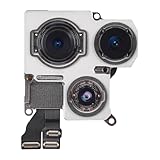
The hardware is the physical camera module itself: the lens, the sensor, and the supporting circuitry. The software is the iOS operating system, which controls the camera, processes the images, and allows you to share them. These two parts are supposed to work together to take photos and videos, and that’s it.
Unless…
Unless the software is compromised.
The Real Threats: What Could Go Wrong
Okay, so how *could* someone see you through your iPhone camera? There are a few ways, ranging from unlikely to extremely unlikely, but still worth knowing about. Let’s break it down.
First up: malware. This is malicious software designed to sneak onto your phone and do all sorts of nasty things, including accessing your camera. It can come in the form of a rogue app, a compromised website, or even a phishing email that tricks you into clicking a malicious link. The malware could then, without your knowledge, activate your camera and record video or take photos. The images could then be sent to the attacker.
Next: vulnerabilities in iOS. These are bugs or flaws in the operating system itself that could be exploited by hackers. Apple is constantly patching these vulnerabilities with software updates, but there’s always a window of opportunity for attackers to strike. This is where it gets highly technical; usually, this requires sophisticated skills and resources, and typically targets specific individuals, not the general public.
Then there are the supply chain attacks. This one is more of a long shot. This is where a hacker compromises the software before it gets to your phone. However, this is more likely to target businesses or VIPs.
Finally, there’s physical access. If someone gets their hands on your iPhone, even for a short time, they could install spyware or change settings to allow remote access. This is why you need to protect your phone as if it holds your life’s secrets. (See Also: What Is Ae Af Lock On Iphone Camera 2 )
The App Store: Your First Line of Defense (but Not Foolproof)
The App Store is supposed to be a safe place. Apple vets apps before they’re allowed on the platform, which should protect you. But nothing is perfect.
However, this doesn’t mean you can let your guard down. There have been instances of malicious apps sneaking into the App Store, and even legitimate apps can have vulnerabilities. The biggest risk is not Apple, it’s you.
For example: I once downloaded a photo-editing app that promised amazing filters. It asked for camera access, which seemed reasonable. But the app also asked for access to my contacts and location data. Red flag city! I ignored the warning signs, and I ended up getting a lot of spam. It wasn’t a camera-based security issue, but it taught me a huge lesson about being careful about what I install.
Here’s the thing: be extra cautious about granting access to your camera, microphone, and location data. If an app doesn’t seem to need those permissions to perform its stated function, think twice before granting them. It is very simple to look at app permissions in your iPhone settings and revoke access. It’s also simple to uninstall apps that you do not trust.
The Green Light: What the Camera Indicator Means
One of the best security features on your iPhone is the little green dot. When your camera is in use, a green dot appears in the status bar at the top of the screen. If you see a green dot and you haven’t explicitly opened the camera app or a video-conferencing app, you know something fishy is going on.
The same applies to the orange dot, which indicates the microphone is in use.
The green dot is your primary indicator. But here’s the contrarian opinion: it’s not perfect. Skilled attackers might find ways to bypass this indicator. However, this level of sophistication is beyond the reach of the average hacker.
The green dot is not an absolute guarantee of safety, but it gives you a strong indication of your camera’s activity. The presence of the indicator is a good thing.
The Jailbreak Conundrum
Jailbreaking your iPhone is the process of removing the software restrictions imposed by Apple. It allows you to install apps from sources other than the App Store and customize your iPhone in ways that are normally not possible.
Sounds great, right? Wrong.
Jailbreaking opens a Pandora’s Box of security risks. It disables many of the security features built into iOS and makes your phone far more vulnerable to malware and other attacks. Jailbroken phones are like houses with open windows and unlocked doors. According to the cybersecurity firm, Kaspersky, jailbroken devices are at a significantly higher risk of malware infection. (See Also: What Does Live Do On Iphone Camera )
The bottom line: Don’t jailbreak your iPhone if you care about your privacy and security. It is not worth the risk. The small gains in functionality and customization are not worth the potential cost.
The best advice is to keep your iPhone as secure as possible. The more complicated you make your phone, the more vulnerable it becomes.
How to Tell If Your iPhone Has Been Hacked
Unfortunately, there’s no single, definitive sign that your iPhone has been hacked. Attackers are often very good at covering their tracks. However, there are some things you can look out for.
First, be on the lookout for unexpected behavior. Does your phone drain the battery more quickly than usual? Are you seeing pop-up ads or strange activity you don’t recognize? Do you see apps you don’t remember installing? These could be signs of malware.
Second, monitor your data usage. If you notice a sudden spike in data consumption, it could indicate that someone is using your phone to send data. Check your carrier’s website or app for detailed data usage information.
Third, pay attention to unusual network activity. If you’re seeing suspicious network connections or unfamiliar devices on your Wi-Fi network, it could mean your phone has been compromised.
Fourth, regularly check your iPhone’s settings. Look for any changes you didn’t make yourself, such as new profiles installed on your phone. These profiles can control various aspects of your device, including security settings. A rogue profile can be a major red flag.
Finally, trust your gut. If something feels off, it probably is. Don’t ignore your instincts. Take steps to secure your phone and protect your privacy.
What You Can Do to Protect Yourself
The good news is that you’re not helpless. There are several steps you can take to protect yourself from camera-based attacks. Here’s a quick rundown of the most important ones:
- Keep your software updated. Apple regularly releases updates to iOS to patch security vulnerabilities. Install these updates promptly. It’s annoying, I know, but it is necessary.
- Be careful about what you download. Only download apps from the App Store, and be wary of apps that request excessive permissions.
- Use a strong passcode. Set a strong passcode to lock your iPhone and enable Face ID or Touch ID.
- Enable two-factor authentication. This adds an extra layer of security to your Apple ID and other online accounts.
- Use a VPN. A virtual private network (VPN) encrypts your internet traffic and hides your IP address, adding an extra layer of security.
- Cover your camera. This is the most low-tech solution, but it works. You can buy a camera cover or simply use a piece of tape to physically block the lens.
- Be careful with public Wi-Fi. Avoid using public Wi-Fi networks for sensitive tasks. If you must use public Wi-Fi, use a VPN.
- Monitor your phone’s activity. Pay attention to battery drain, data usage, and any other unusual behavior.
Following these steps will go a long way towards protecting your privacy.
Camera Covers: Are They Worth It?
Camera covers are small, usually plastic or metal, sliders that you attach to your phone to physically block the camera lens. They’re cheap, easy to use, and offer a simple way to prevent unauthorized camera access. (See Also: Why Are My Iphone Videos Upside Down )
However, camera covers aren’t perfect. Some users find them inconvenient, as they have to manually slide the cover open and closed whenever they want to use the camera. Some covers can also interfere with the phone’s design or even scratch the lens. And, you could lose it. I once bought a great camera cover for my laptop. I lost it within a week. I then bought another one. Same result. I gave up on camera covers for my laptop.
But for your iPhone? They might be worth it. It’s a good layer of defense. A cover is a good choice if you are concerned about your privacy.
Here’s a comparison of the pros and cons:
| Feature | Pros | Cons | Opinion |
|---|---|---|---|
| Effectiveness | Physically blocks the camera lens. | Doesn’t protect against other types of malware. | Good for peace of mind. |
| Convenience | Easy to use. | Can be inconvenient to open and close. | Minor inconvenience. |
| Cost | Inexpensive. | Requires purchase. | Low cost for peace of mind. |
| Aesthetics | Minimal impact on phone design. | Can be bulky or interfere with phone cases. | Can be noticeable. |
Ultimately, whether or not to use a camera cover depends on your level of concern and your personal preferences. If you’re worried about someone seeing you through your iPhone camera, a cover is a simple and effective way to reduce that risk.
Can Someone See Me Through My iPhone Camera If It’s Off?
No, generally, if your iPhone camera is physically off or disabled, someone cannot see you. However, a malicious program could potentially turn the camera on without the indicator. The green light is your primary indicator. If you see the green dot, the camera is on. If you do not see the green dot, there is less chance of intrusion.
Can Someone See Me Through My iPhone Camera Without Me Knowing?
It’s possible, though it is not a high probability. If your phone is infected with malware, or if there is a zero-day vulnerability in iOS, someone could potentially access your camera without your knowledge. However, Apple and other cybersecurity experts constantly work to patch vulnerabilities and mitigate these risks. Also, remember, a hacker would need time, expertise, and resources to do this, and they are more likely to target VIPs, not the general public.
How Can I Tell If My iPhone Camera Is Being Used?
The easiest way to tell if your iPhone camera is being used is to look for the green dot in the status bar. If the green dot is present, the camera is in use. If you do not see the green dot, it is unlikely that the camera is in use by an unauthorized source. You can also monitor your phone’s battery life and data usage for any unexpected spikes, which may indicate that the camera is being used in the background.
- Why Don't My iPhone Photos Show Up on My Computer? The Real Fix
- Why Does iPhone Camera Make My Face Look Crooked? The Real Truth.
- How Do I See My iPhone Photos on Icloud: See iPhone Photos on...
- What Is Live Feature on iPhone Camera? The Real Deal.
- Why Are My iPhone Photos Not Loading? Fixes That Actually Work
Final Thoughts
So, **can someone see me through my iphone camera**? Yes, technically, it’s possible. But it’s not a common occurrence. The vast majority of iPhone users have nothing to worry about. The risk is real, though, which is why taking a few simple steps to protect yourself is not only worthwhile, but it is just smart.
The most important thing is to stay informed, and stay vigilant.
What are you waiting for? Check your app permissions right now.
Recommended Products
Recommended For You



![[Dual-Lens] Endoscope Camera with Light, 1920P HD Borescope with 8+1 Adjustable LED Lights, IP67 Waterproof 16.5FT Semi-Rigid Snake Cord Inspection Camera for iPhone, iPad and Android Phone (Type C)](https://m.media-amazon.com/images/I/41avH-scJML._SL160_.jpg)