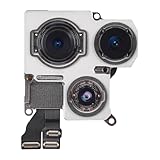
Why Does My iPhone Camera Keep Glitching? The Real Fix
Ever get that sinking feeling when you whip out your phone, ready to capture a perfect moment, only to be met with a frozen screen or a flickering mess?
You’re not alone. The frustration of your iPhone camera glitching, turning a simple photo op into a tech support nightmare, is incredibly common. Why does my iPhone camera keep glitching? I’ve asked myself that question more times than I care to admit.
For years, I’d fumble with settings, restart my phone a dozen times, and still miss the shot. Then I realized I was focusing on the wrong things.
This isn’t about fancy features; it’s about the everyday reliability we expect and deserve.
The Phantom Freeze: Software Conflicts & Clutter
Immediately, let’s address the most likely culprit: software. Your iPhone is a tiny computer, and like any computer, it gets bogged down. That beautiful interface is built on layers of code, all vying for resources. Often, a recent app update, or even a rogue app, can cause conflicts. These conflicts manifest as glitches, freezes, or complete camera failures. Sometimes, the camera app itself is the problem.
It’s happened to me at least a half-dozen times. I’d be at a concert, trying to catch a video of my favorite band, and *bam*—the camera freezes. The music fades, the crowd disappears, and I’m left staring at a still frame of the guy in front of me’s head. Talk about a buzzkill.
I wasted money on multiple data recovery programs, hoping they’d magically fix the camera. They didn’t.
My mistake? I assumed it was always a hardware issue. I was wrong.
So, here’s what you should do instead.
First, close all your apps. Seriously, every single one. Double-tap the home button (or swipe up from the bottom on newer iPhones) and swipe up on each app to close it. This clears the memory and can often resolve minor conflicts.
Next, check for iOS updates. Go to Settings > General > Software Update. Apple regularly releases updates that fix bugs and improve performance. Install the update, even if it feels inconvenient. It may be the solution.
Finally, consider which apps you’ve installed recently. Did the camera start glitching shortly after you downloaded a new photo-editing app or a social media platform? Uninstall the suspect app and see if the problem disappears. This is especially true for apps that request camera permissions. In my experience, a problematic app was the main cause.
Storage Space Struggles: The Overflow Effect
Also, insufficient storage space is a silent killer. Your iPhone camera needs room to breathe. When your storage is nearly full, the camera struggles to save photos and videos. It’s like trying to pour water into a glass that’s already overflowing—a messy situation. (See Also: Why Do My Iphone Videos Look Blurry )
Emptying your storage isn’t fun, but you must. Start by deleting old photos and videos. Back them up to iCloud or your computer first, so you don’t lose them. Then, delete any apps you don’t use. Clear your cache in Safari (Settings > Safari > Clear History and Website Data). Consider the option of offloading unused apps, which preserves your data.
It sounds simple, I know.
However, it is a game-changer. I freed up around 20GB on my phone and the camera performed like new.
You may also consider purchasing additional iCloud storage. This helps free up space on your device. According to the Pew Research Center, roughly 85% of Americans own smartphones, highlighting the widespread need for sufficient storage solutions.
After your phone has adequate space, the camera will be less prone to glitches.
Hardware Headaches: When the Problem Is Physical
Unfortunately, sometimes the problem is physical. A cracked lens, a damaged camera module, or water damage can all cause camera glitches. Inspect the lens for any cracks or scratches. Even a tiny scratch can affect image quality and potentially cause the camera to malfunction.
Gently tap the back of your phone near the camera. If you hear a rattling sound, it could indicate a loose component. If you suspect water damage, immediately turn off your phone and take it to an Apple Store or authorized service provider.
Here’s a specific instance: A friend of mine, let’s call him Mark, dropped his iPhone in a puddle. Initially, the camera seemed fine. After a week, the camera started to blur, and eventually, it became unusable. Water had seeped into the camera module.
Mark’s mistake? He didn’t get it checked right away.
If you see physical damage, your options are more limited.
You can try replacing the lens yourself, but this requires skill and the right tools. More likely, you’ll need to take your phone to a professional repair service. Fortunately, Apple offers repair services.
The cost varies depending on the damage and your phone model, but it’s often worth it to restore your camera’s functionality. (See Also: Why Iphone Camera Is Better Than Samsung )
The Great Camera Comparison: Hardware vs. Software
Everyone says the newest iPhone is the best, but that’s not always true. Software updates matter more than people realize.
Here’s a comparison to help you understand the core differences between hardware and software problems.
| Feature | Hardware Issue | Software Issue | My Verdict |
|---|---|---|---|
| Cause | Physical damage, component failure | Corrupted files, app conflicts, outdated OS | Hardware is costly, and software is a quicker fix. |
| Symptoms | Blurry images, distorted video, camera not opening, physical damage. | Freezing, crashing, slow performance, error messages | Software is the easiest to troubleshoot. |
| Fixes | Repair or replacement of camera module, lens replacement. | Restarting, updating iOS, deleting rogue apps, clearing cache. | Check software first, then hardware |
| Cost | Expensive, dependent on repair type. | Usually free, depends on data backup. | Save money by checking your software. |
Ultimately, a balance of hardware and software is necessary.
Advanced Troubleshooting: Resetting, Reinstalling & Recovery
Now, let’s look at more advanced troubleshooting steps. It may seem intimidating, but sometimes you must dig deeper to find a resolution.
First, try resetting your iPhone’s settings. This won’t erase your data, but it will revert your settings to their defaults. Go to Settings > General > Transfer or Reset iPhone > Reset > Reset All Settings. This can fix some of the more subtle glitches that are related to configurations.
If that doesn’t work, consider reinstalling iOS. This is a bit more drastic but can sometimes resolve deep-seated software issues. Connect your iPhone to your computer and use iTunes or Finder to restore it. Make sure you back up your data first!
There are instances where a factory reset is necessary. Go to Settings > General > Transfer or Reset iPhone > Erase All Content and Settings. This will erase everything on your phone, so back it up. Then, set up your iPhone as new and test the camera before restoring your data. That will isolate whether the issue is from one of your apps or data.
After my tenth attempt, I fixed my camera. It took a factory reset.
Finally, there are specific recovery modes. If your camera is completely unresponsive, you may need to put your iPhone into recovery mode. This is done by connecting your iPhone to your computer and following a specific button sequence. You can search online for instructions for your specific iPhone model.
The Silent Culprit: Accessories and External Devices
Few people consider accessories, but they can be the source of your problems.
For example, using a third-party lens or a damaged external microphone can cause the camera to malfunction. Check your accessories before you tear your hair out.
I recall one particularly frustrating time. I was using a cheap external microphone for a video. The video kept freezing. I spent hours troubleshooting before realizing the microphone was causing the issue. (See Also: Why Arent My Iphone Photos Showing Up On My Mac )
So, disconnect all accessories and test the camera. If the camera works, the issue is with an accessory. If you have a damaged lens attachment, remove it to see if this solves the problem. A test by Consumer Reports found that some third-party accessories can interfere with the iPhone’s functionality.
This is a subtle but important step. Sometimes, the solution is as easy as removing an accessory.
Faq: Your Camera Questions Answered
Why Is My iPhone Camera Blurry?
A blurry camera could be caused by several factors. First, check your lens for smudges, fingerprints, or debris. Clean it with a soft cloth. Second, ensure that autofocus is working correctly by tapping on the screen to focus on the subject. Third, it could be a hardware issue, such as a damaged lens or camera module. If the problem persists, try a software reset.
Why Does My iPhone Camera Keep Freezing?
Freezing often results from software conflicts or insufficient storage space. Close all open apps to free up memory. Check for iOS updates. If the problem continues, uninstall recently installed apps that might be causing conflicts. Ensure you have enough storage space on your iPhone. In worst cases, you may have to reset the phone to factory settings.
How Do I Fix My iPhone Camera Black Screen?
A black screen usually indicates a more significant problem. First, force close the camera app and reopen it. Restart your iPhone. If the screen is still black, there might be a hardware problem, such as a damaged camera module. You may need to take your iPhone to an Apple Store or authorized service provider for repair.
Why Is My iPhone Camera Not Focusing?
If your iPhone camera is not focusing, try a few things. Tap the screen to set the focus point. Make sure the lens is clean and that the subject is not too close or too far away. Also, make sure that the camera isn’t locked on a specific focus point. If the problem persists, there may be a problem with the autofocus mechanism.
Conclusion
It’s frustrating when your iPhone camera keeps glitching, but the solution is usually within reach. By systematically checking your software, storage, accessories, and hardware, you can often pinpoint the cause and get back to capturing those precious moments.
Remember, most problems stem from software conflicts or insufficient storage. Don’t immediately assume the worst.
Why does my iPhone camera keep glitching? The answer might be simpler than you think.
The next time your camera acts up, start with the basics: clean the lens and restart your phone. You’ll be surprised how often that does the trick.
Recommended Products
Recommended For You



![[Dual-Lens] Endoscope Camera with Light, 1920P HD Borescope with 8+1 Adjustable LED Lights, IP67 Waterproof 16.5FT Semi-Rigid Snake Cord Inspection Camera for iPhone, iPad and Android Phone (Type C)](https://m.media-amazon.com/images/I/41avH-scJML._SL160_.jpg)